
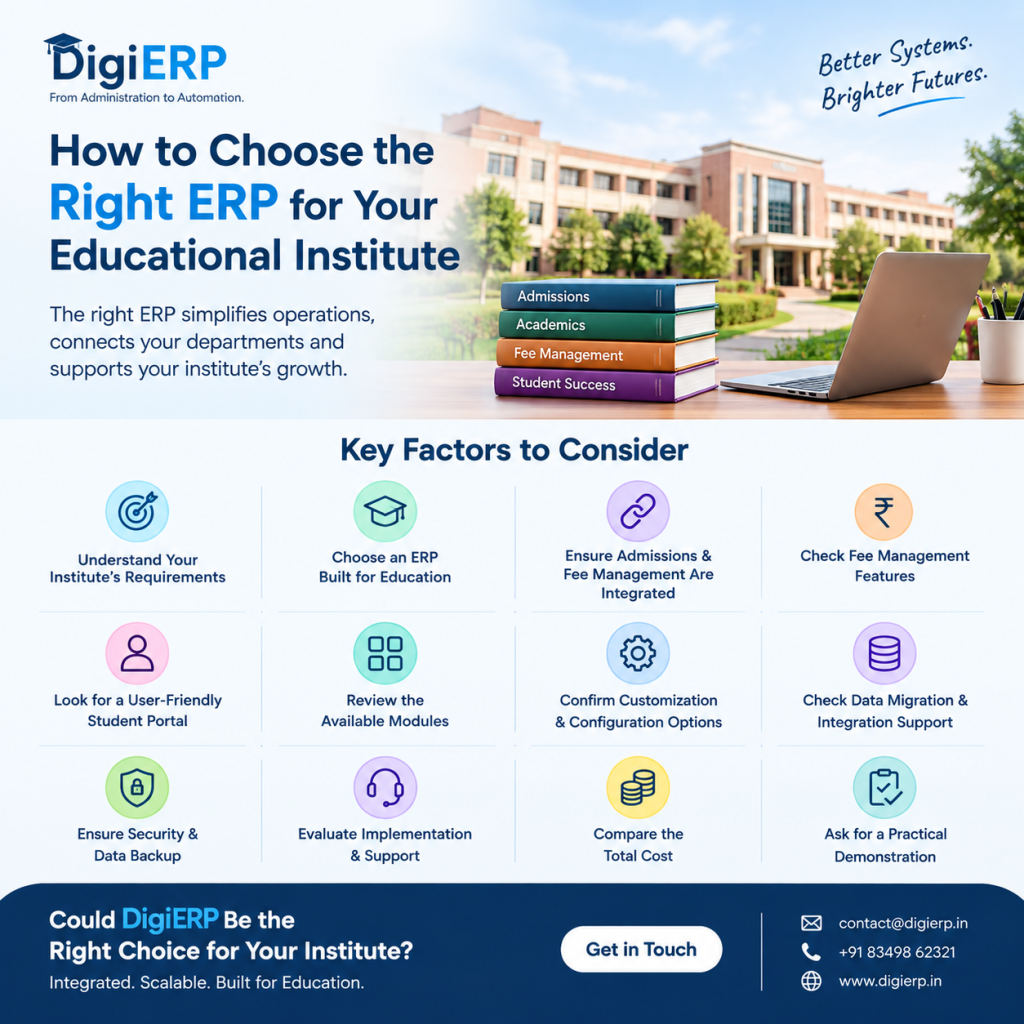
Choosing the right ERP software for your educational institute is an important decision. A college or university ERP does more than digitize daily tasks—it connects admissions, student records, fee management, academics, staff administration, and reporting in one organized system.
However, with so many education ERP software providers available, it can be difficult to identify the right platform for your institute.
The best ERP is not necessarily the one with the longest feature list. It is the one that fits your institute’s requirements, budget, existing processes, and future growth.
Here are the key factors to consider before selecting an ERP for your college or university.
1. Understand Your Institute’s Requirements
Before contacting ERP providers, identify the problems your institute wants to solve.
Ask your management and department heads:
- Are admissions managed manually?
- Is fee collection handled through spreadsheets or separate software?
- Is it difficult to track student dues?
- Do students and parents frequently contact the office for basic information?
- Are staff attendance and leave managed manually?
- Is report preparation time-consuming?
- Are different departments using disconnected systems?
Prepare a list of your current challenges and expected improvements. This will help you compare ERP software based on actual requirements rather than attractive demonstrations.
2. Choose an ERP Designed for Education
A general business ERP may not fully support the specific needs of colleges and universities.
An education ERP should understand processes such as:
- Student admission and registration
- Academic sessions and admission years
- Courses, departments, branches, and semesters
- Student-wise fee structures
- Online and offline fee payments
- Receipts and outstanding dues
- Student and parent communication
- Examination and academic records
- Staff and HR management
Choose software that is designed for educational institutions and can adapt to your institute’s academic structure.
3. Check Whether Admissions and Fee Management Are Integrated
Admissions and fee management are two of the most important parts of an education ERP.
If admission data is stored in one system and fee records are maintained in another, your team may need to enter the same information multiple times. This can create duplicate records, reconciliation problems, and reporting errors.
The right ERP should connect:
Admission → Student Record → Fee Structure → Payment → Receipt → Reports
This integrated workflow helps ensure that fee information is connected to the correct student record.
4. Evaluate Fee Management Features Carefully
For many colleges and universities, fee management is a core requirement.
Before selecting an ERP, check whether it supports:
- Online fee collection
- Offline fee entry
- Student-wise fee records
- Course- and semester-wise fee structures
- Installments
- Scholarships and concessions
- Late fees
- Payment receipts
- Outstanding fee reports
- Payment history
- Collection summaries
- Integration with payment gateways
Do not only ask whether the software supports online payments. Also check how easily your accounts department can manage dues, adjustments, receipts, and reports.
5. Look for a User-Friendly Student Portal
A student portal can reduce the workload of administrative staff by allowing students and parents to access information themselves.
The portal should ideally provide access to:
- Student profile
- Fee details
- Payment status
- Online payment options
- Receipts
- Academic information
- Notices and updates
- Other institute services
A complicated portal may reduce adoption. Ask the ERP provider to demonstrate the student experience on both desktop and mobile devices.
6. Check the Available Modules
An ERP should support your current requirements and future expansion.
Depending on your institute’s needs, relevant modules may include:
- Admissions and Registration
- Fee Management
- Student Portal
- Academic Management
- Attendance
- Examination and Results
- HR Management
- Payroll
- Library Management
- Hostel Management
- Transport Management
- Reports and Analytics
However, avoid selecting software only because it offers many modules. Check whether the modules are actually usable, integrated, and suitable for your institute.
7. Confirm Customization and Configuration Options
Every educational institute has a different structure.
For example, universities may have multiple:
- Departments
- Courses
- Branches
- Specializations
- Academic sessions
- Admission years
- Semesters
- Admission cycles
The ERP should allow you to configure these requirements without depending on expensive development for every small change.
Ask whether the system supports configurable fee structures, academic hierarchies, user roles, reports, and workflows.
8. Review Data Migration and Integration Support
If your institute already uses spreadsheets, Tally, or another software system, data migration is an important consideration.
Ask the provider:
- Can existing student data be imported?
- Can fee records be migrated?
- What data formats are supported?
- Who will clean and verify the data?
- Is data migration included in the implementation?
- Can the ERP integrate with payment gateways or existing systems?
- How long will the migration take?
A good implementation process should reduce disruption and help your institute move to the new system smoothly.
9. Check Security, Access Control, and Data Backup
An education ERP stores sensitive information such as student details, fee records, staff information, and academic data.
Before selecting a provider, ask about:
- Secure login
- Role-based access
- Data backup
- Data protection
- User activity tracking
- Payment security
- Server reliability
- Recovery procedures
- Access control for different departments
For example, accounts staff should be able to manage fee records, while other users may only need access to academic or student information.
10. Evaluate Implementation and Support
Even good software can fail if implementation and support are poor.
Ask the provider about:
- Implementation timeline
- Initial configuration
- Data import
- Payment integration
- Staff training
- User documentation
- Technical support
- Issue resolution process
- Future updates
A provider should clearly explain what is included in the implementation and what may require additional charges.
11. Compare the Total Cost
Do not compare ERP providers only by their annual subscription price.
Consider the complete cost, including:
- Annual software charges
- Implementation charges
- Data migration
- Payment gateway integration
- Customization
- Training
- Support
- Additional users or campuses
- Future maintenance
Also check whether the provider charges separately for every module, student, or user.
A transparent pricing model makes it easier for management to plan the institute’s technology budget.
12. Ask for a Practical Demonstration
Before making a final decision, request a live demo using scenarios related to your institute.
Ask the provider to demonstrate:
- Creating a student admission record
- Assigning a course and semester
- Creating a fee structure
- Recording an online or offline payment
- Generating a receipt
- Checking outstanding dues
- Accessing the student portal
- Generating management reports
This will help you understand whether the ERP is practical for your staff and not just impressive during a presentation.
Final Checklist Before Choosing an Education ERP
Before signing an agreement, confirm that the ERP:
- Is designed for colleges and universities
- Connects admissions with student records and fee management
- Supports online and offline fee collection
- Provides a user-friendly student portal
- Offers the modules your institute actually needs
- Supports configuration and customization
- Provides data migration and integration support
- Includes proper security and backups
- Has a clear implementation timeline
- Offers reliable technical support
- Provides transparent pricing
- Can scale with your institute’s future requirements
Could DigiERP Be the Right Choice for Your Institute?
If your college or university is looking for an integrated education ERP, DigiERP could be the right choice.
DigiERP brings essential institute operations together through modules such as Admissions and Registration, Fee Management, Student Portal, HR Management, Payroll, Academic Management, Hostel Management, Transport Management, Library Management, and more.
The platform is designed to help institutes move beyond disconnected spreadsheets, manual records, and separate systems. DigiERP supports online and offline fee management, student records, receipts, reporting, and administrative automation through one platform.
With structured implementation and data integration support, institutes can begin their digital transformation in approximately 5–7 working days, depending on their requirements and data readiness.
To discuss your institute’s requirements or schedule a demo:
📩 Email: contact@digierp.in
📞 Phone/WhatsApp: +91 83498 62321
🌐 Website: https://digierp.in/
DigiERP — From Administration to Automation.